Renting AI vs Owning It: My First Local LLM on an RTX 4070 Ti Super
For weeks my AI was rented — a prompt sent across an ocean to someone else’s data center. This is the week I brought it home.
For the past few weeks, my relationship with Artificial Intelligence has been “rented.” I log into Claude, send a prompt to a server in a distant data center, and wait for the response to travel back across the ocean. It is convenient, but it lacks something fundamental: autonomy.
So this week I decided to stop renting and start owning — to run a real model on my own machine, my own silicon, my own electricity, with no cloud in the loop.
Rented vs owned
Decide · autonomy over convenienceRenting intelligence is easy. You open a tab, type, and the answer appears as if by magic. But every word travels to hardware you will never see, governed by limits and terms you do not set. The convenience is real — and so is the dependence.
Owning it means the model lives on your disk and answers in your room. No round trip across the ocean, no account, no meter running in the background. That shift, from guest to host, was the whole point of the experiment.
My secret weapon
Spec · the bottleneck is VRAMWhen you decide to run AI locally, your biggest bottleneck isn’t your CPU or your RAM — it’s your VRAM (Video RAM). Large Language Models are massive mathematical structures, and to get them to respond at a human-readable speed, they need to live inside your GPU’s memory.
I am fortunate enough to be working with an NVIDIA RTX 4070 Ti Super, since I love cutting-edge gaming. While it isn’t an enterprise-grade A100, it has one critical feature that changed the game for me: 16GB of VRAM.
The “Aha!” moment: running Gemma
Run · Gemma-26B (a4b) in 16GBThe moment the journey became “real” for me was when I successfully loaded Gemma-26B (the a4b variant) into my 4070 Ti Super. Running a model of this scale — a 26-billion-parameter model — on consumer hardware feels like magic.
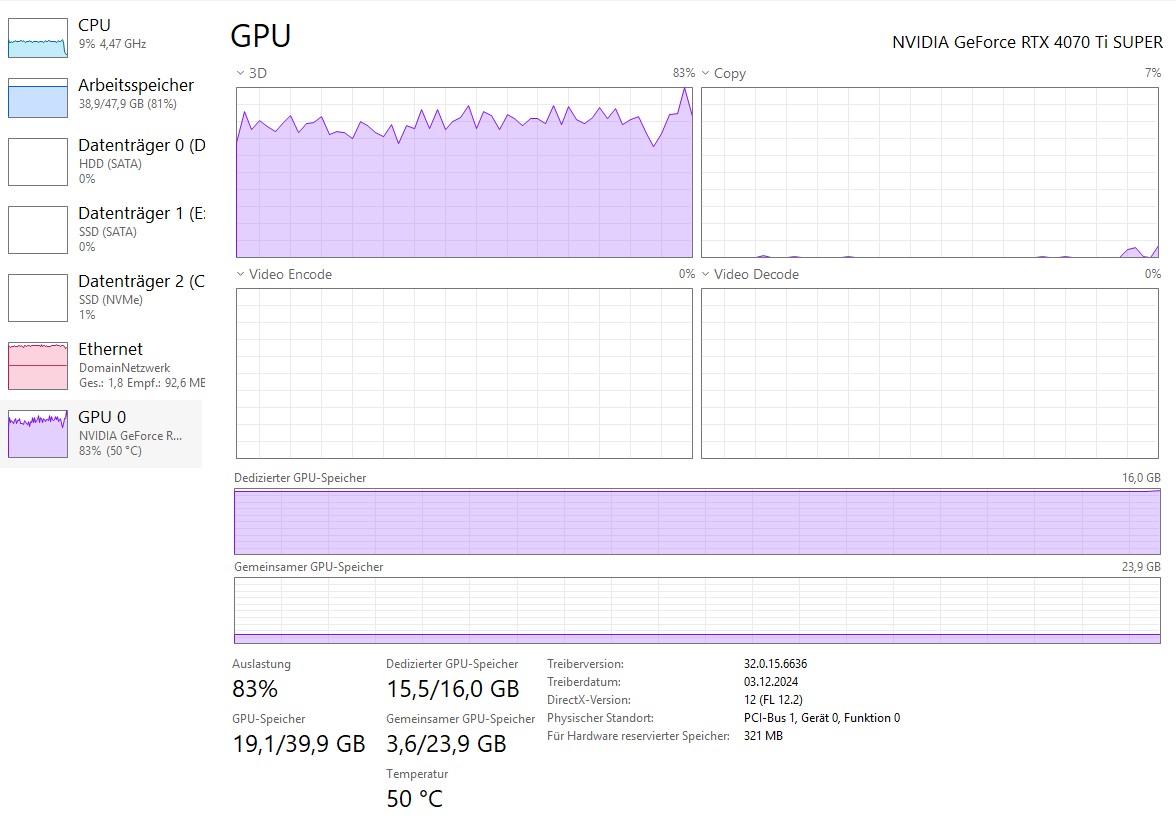
Because of the way the model is quantized (compressed), it fits snugly within my 16GB VRAM limit. Watching the text stream across the screen, powered entirely by my own electricity and my own silicon, was a profound shift in perspective.
No data sent to a third party. No usage limits. No subscription tiers. Just me, my GPU, and the model.
A certain peace of mind
Keep · your data on your diskThere is a certain peace of mind that comes with local hosting. No data is being sent to a third-party company to train their next iteration. There are no “usage limits” or “subscription tiers.” There is just me, my GPU, and the model.
It is a different relationship with the tool — closer to owning an instrument than renting a service. Once the weights are on disk, the internet is optional.
Still a student
Learn · quantization, context, VRAMI am still very much a student in this space. I am learning about Quantization (how we shrink models), Context Windows (how much a model can remember), and the delicate balance of fitting large weights into limited VRAM.
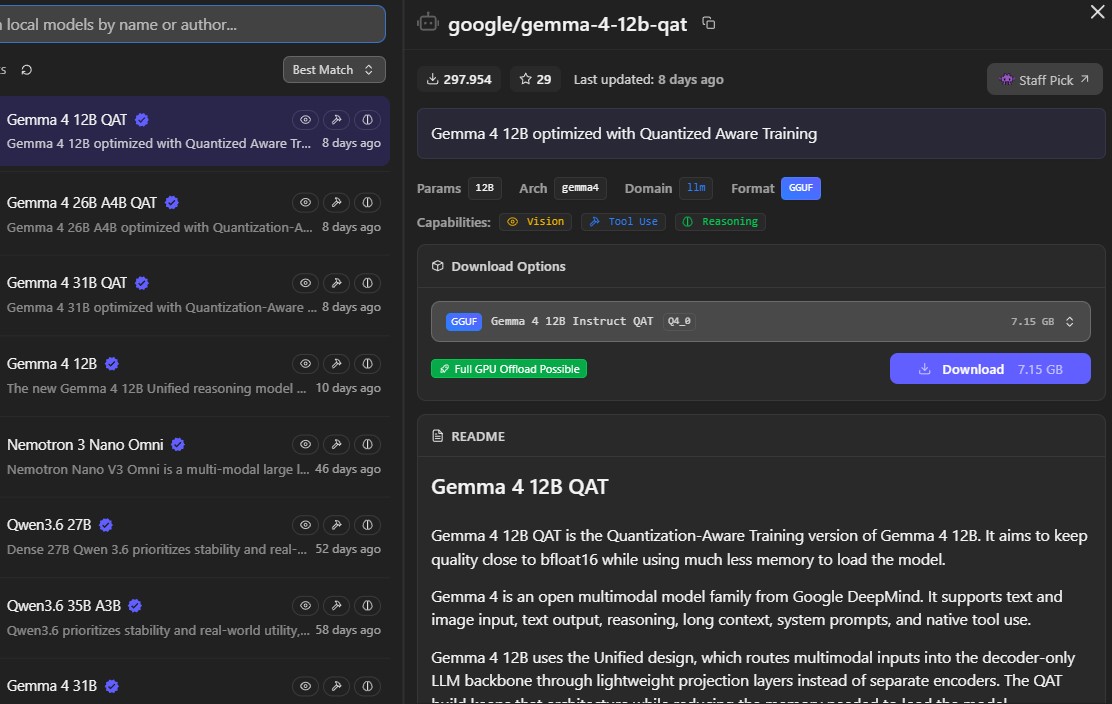
The goal isn’t just to have a cool tech demo on my desktop; it’s to build a private, intelligent assistant that I truly own.
If you have a GPU with decent VRAM, my advice is simple: download LM Studio, find a model, and start playing. The cloud is great — but the edge is where the real freedom is.